DSCPLNDSay disciplined.

You already know what to do.

Knowing was never the problem. Keeping it is.

One place for the three things that actually move the needle: the habits you keep, the training you do, and what your body does in response.

Download on the App Store iPhone · Free
The Habits screen in DSCPLND: five habits such as Read 10 pages, Gym and Meditate, each with when it was last logged and a row of seven dots for the last seven days.

There have never been more trackers, more streaks, more notifications. Very little of it is kept.

  • Every app wants your attention. None of them want your reps.
  • Streaks that break at midnight teach you to quit.
  • Numbers that are guessed from a photo are not numbers.

Meanwhile the days keep going. Every one you wait is a dot you do not get back.

Start smaller than you think.

Day 1 is one gold dot. That is the whole job today. Tomorrow is another one.

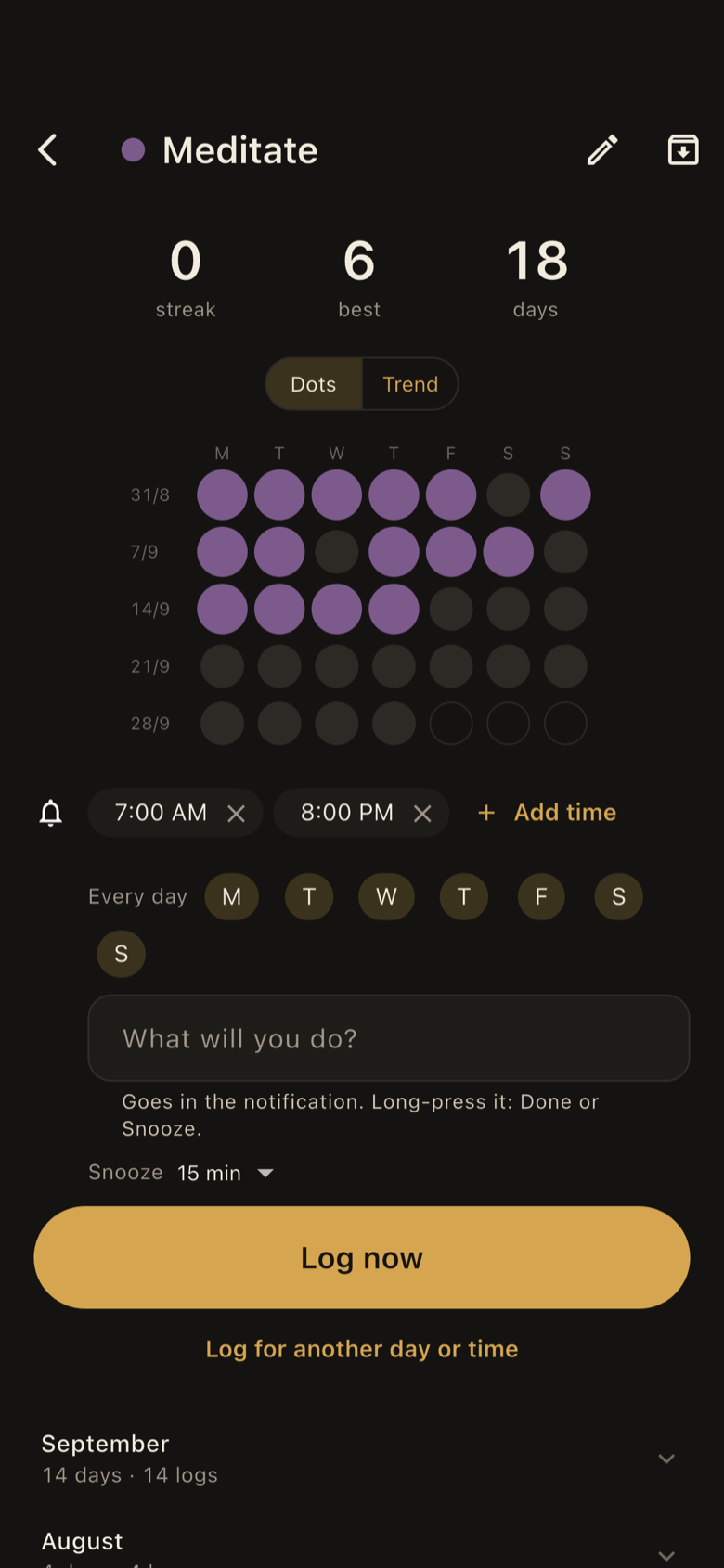
A Meditate habit: streak, best and total days, weeks of dots from Monday to Sunday, two reminder times on chosen weekdays, and a gold Log now button.

Do it inside the app.

Timer, journal with dictation, counter, photo. Finishing the tool is the log.

  • A timer that logs itself, a stopwatch and a counter.
  • A journal you can dictate into, and a photo when words are not the point.
  • Plan: a week-by-week plan you tick off. Reading: read aloud, get a clarity score. Vocabulary: one word a day.

One day with it.

Nothing to remember to log. You log by doing.

Morning

Habits

The habits you keep. One tap, or finish the tool inside the app.

Evening

Training

The training you do. Sets, rest and tempo on one card, with last time's numbers.

Next morning

Body

What your body does in response. Weigh-ins, scans and photos. Nothing guessed.

6:40 amMorning

Small things. Every day.

One tap logs a habit. The chain does the rest.
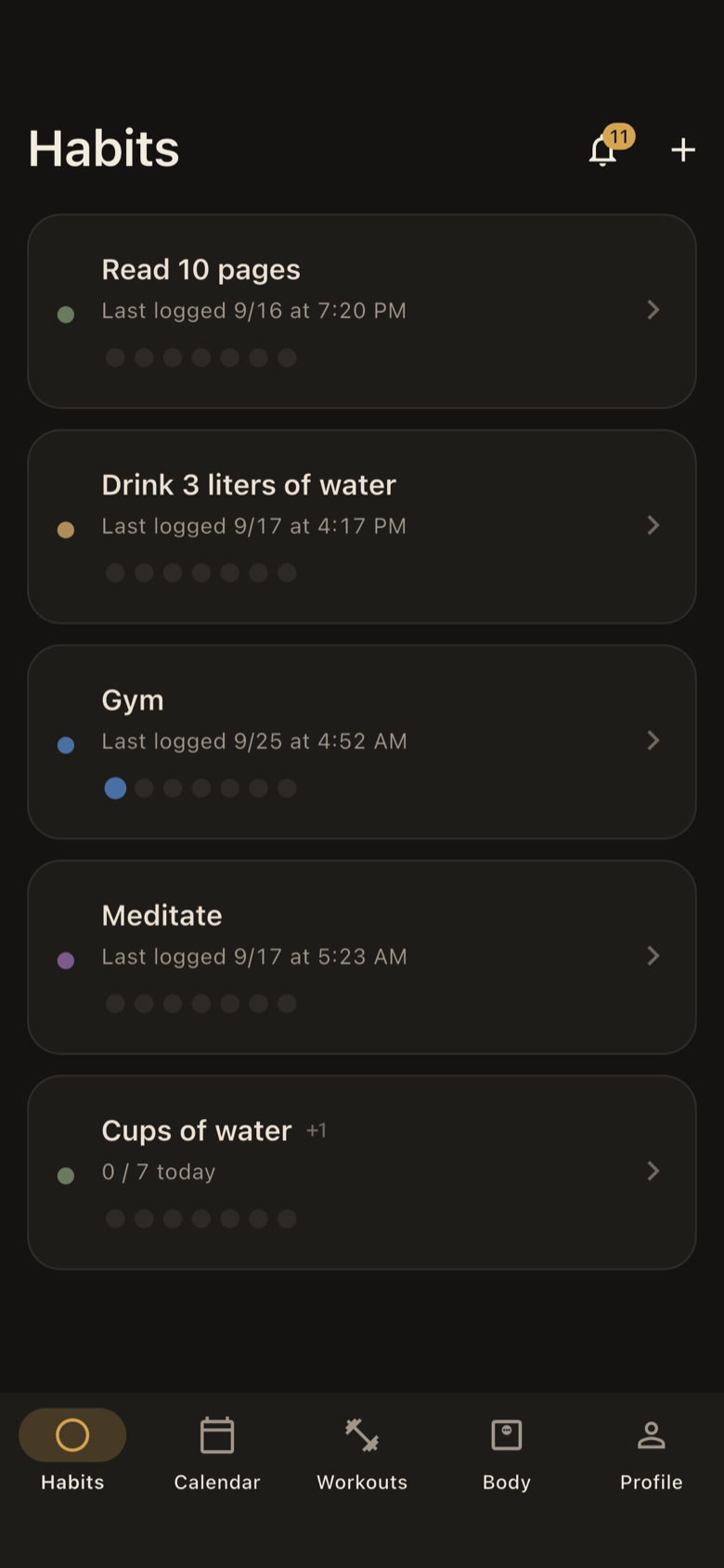
The Habits screen: five habits, each with when it was last logged and seven dots for the last seven days.
  • Reminders several times a day, on the weekdays you choose, with a note about what you planned.
  • Done or Snooze from the notification. Already logged? It stays quiet.
  • History by week, folded into months. Archive instead of delete.
6:05 pmGym

Lift. Rest. Repeat.

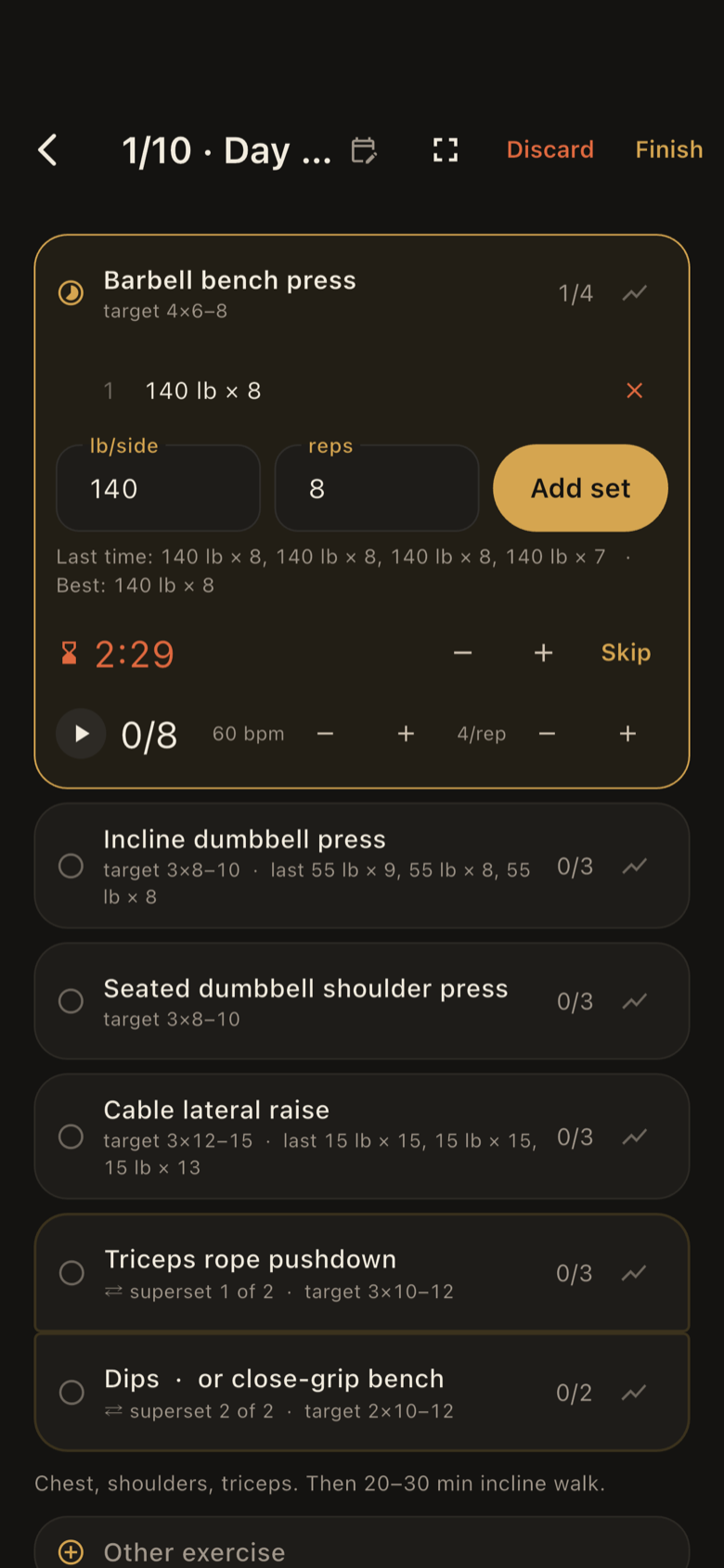
Rest timer and a tempo that counts your reps, right under the exercise.

A workout in progress: barbell bench press with a logged set, weight and reps fields, last time's numbers, a rest timer at 2:29 and a 60 bpm tempo counter, with the rest of the routine below.
  • Routines with sets × rep range, rest, tempo, supersets and named alternatives.
  • One card per exercise, with last time's numbers.
  • “Time to add weight” when every set hits the top of the range.
  • Cardio in the same session: treadmill, incline walk, bike, rower, stairs.

6:21 pmBetween sets

Readable from across the gym.

One number on screen: rest left, or reps done.

The workout in full-screen focus while resting, with the rest timer on the current exercise and the word Resting across the bottom.
  • Rest timer, tempo metronome and a Lock Screen Live Activity, all with your music playing.
  • Apple Watch workouts come in from Apple Health.
  • Rate each exercise at the end. Finishing logs your Gym habit.

7:02 amThe scale

Real numbers. No fiction.

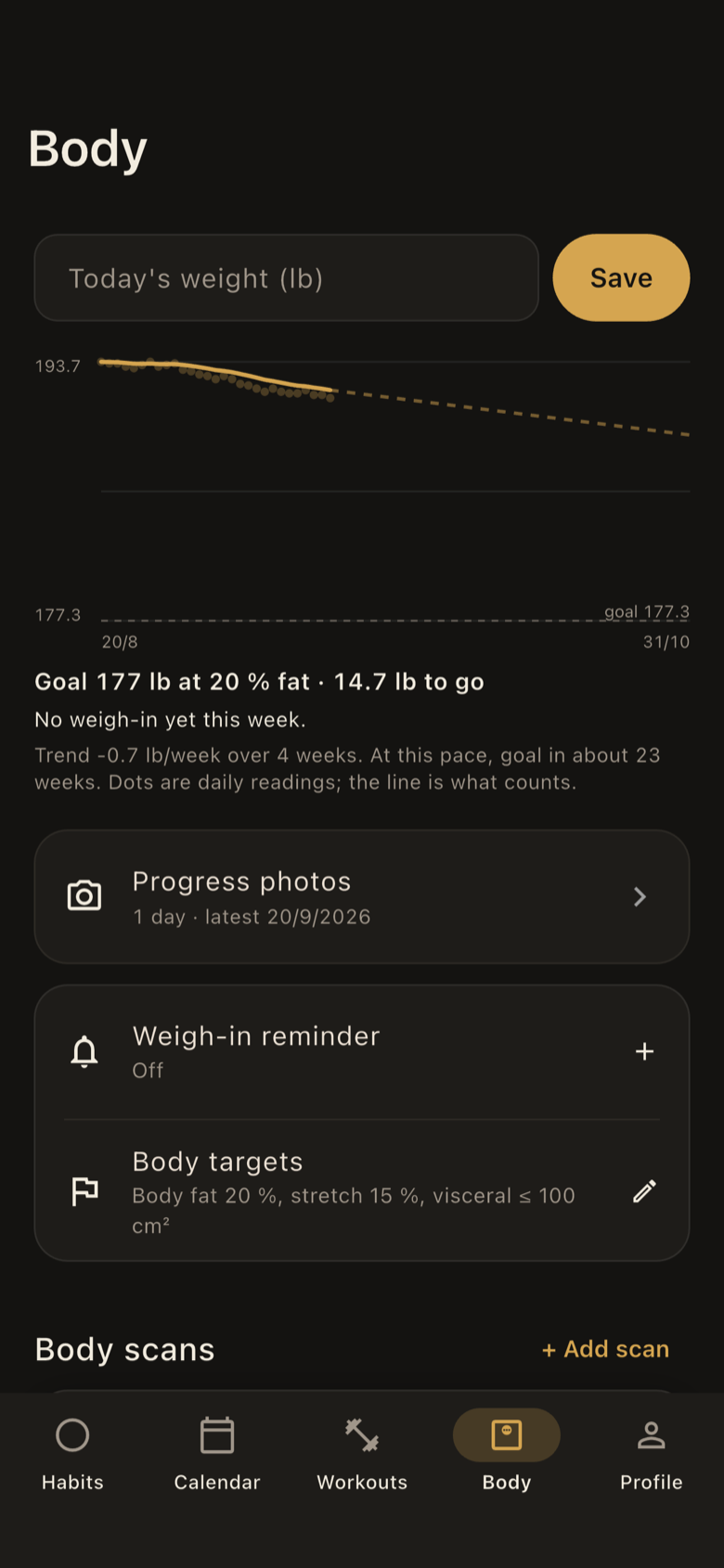
Weight trend from your weigh-ins. Goal from your scan.

The Body screen: a field for today's weight, a smoothed weight trend over daily readings with a goal line, a goal of 177 lb at 20 percent body fat, and rows for progress photos, weigh-in reminder and body targets.
  • A smoothed, honest trend with weekly averages and a goal line. No projection until there is enough data.
  • Weigh-ins sync both ways with Apple Health.
  • Scans from Evolt or InBody: body fat, lean mass, skeletal muscle, visceral fat, waist.
  • Progress photos front, side and back, with a self-timer camera and side-by-side compare.

SundayReview

Sunday. One honest look.

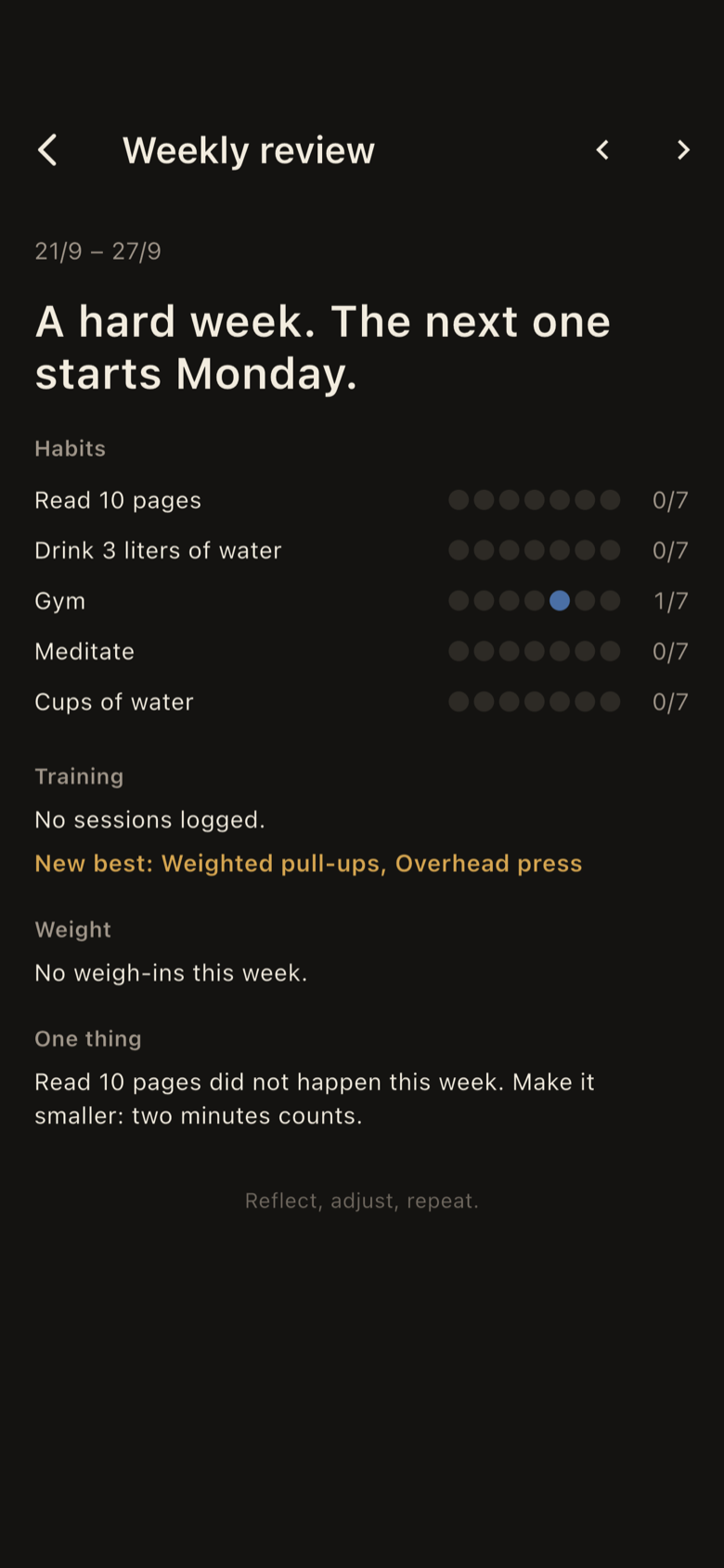
Habits kept, sets done, weight moved, one thing to fix.

The weekly review for 21 to 27 September: each habit with seven dots, new bests in training, weight for the week, and one thing to fix.
  • A quiet inbox, not a stream of pings.
  • A path view of where you have been.

Miss once, the chain holds.
Miss twice, it starts over.

Forgiveness is built in. Quitting is not.

Miss once

The chain holds.

Miss twice

It starts over.

In thirty days you will have been disciplined or you will not.

The app does not change that. It makes the disciplined version easier to be.

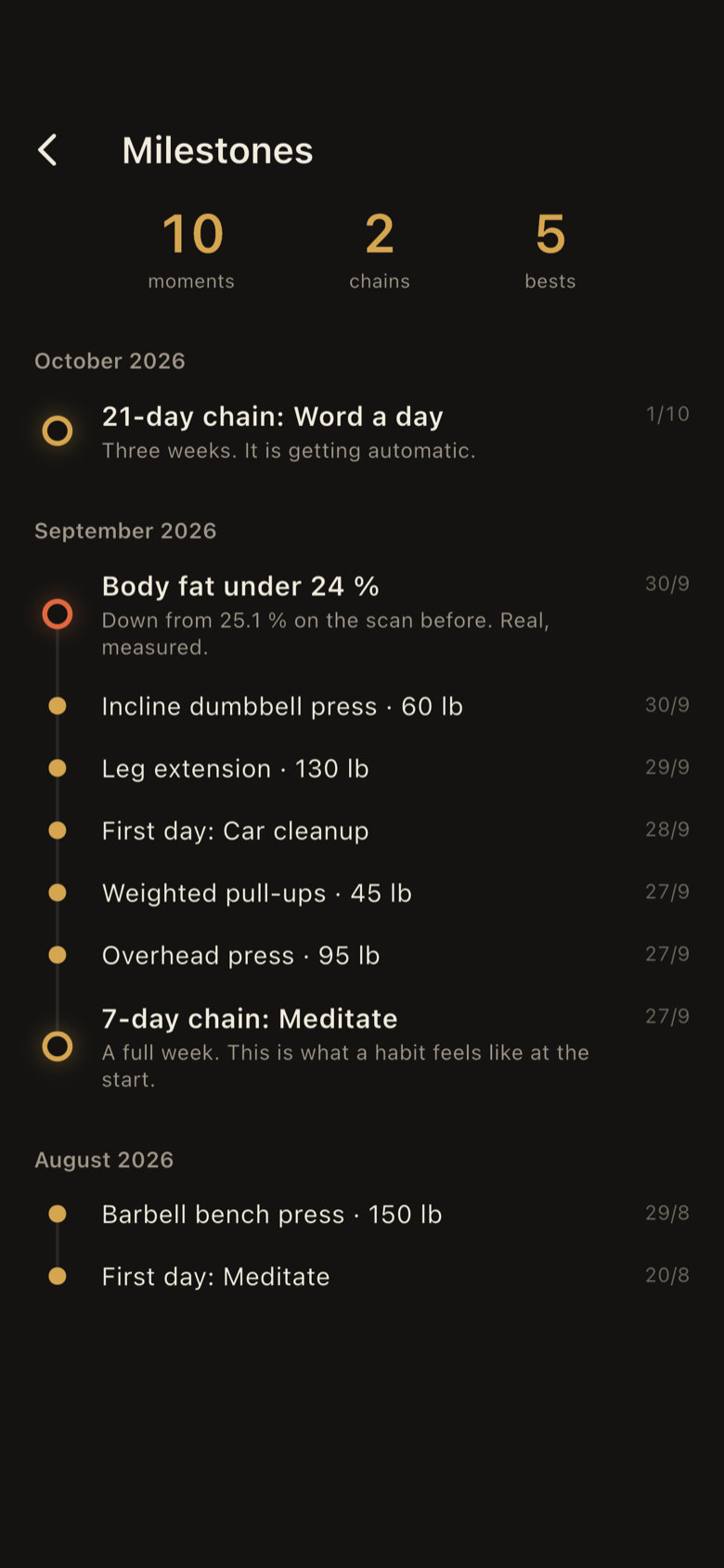
Milestones: ten moments, two chains and five bests, listed by month, including a 21-day chain, body fat under 24 percent, and new personal bests on lifts.

Day 30Milestones

Moments you earned.

Chains, personal bests, body changes. Nothing manufactured.

  • A 21-day chain shows up because you did 21 days.
  • No points, no leaderboards, no social feed.

What it does not do.

Every number comes from you, your scans, or Apple Health.

  • No AI guessing from photos.
  • No manufactured numbers.
  • No points, no leaderboards, no social feed.
  • No ads, no tracking, no analytics.

Your account

Email and password. Your data syncs across your devices.

Apple Health, if you want it

Optional. Weigh-ins sync both ways, Apple Watch workouts come in, and weigh-in reminders arrive on the weekdays you choose.

Gold on black

With a light variant and matching home-screen icons. Weeks start on Monday.

Dark home-screen icon: a gold mark on near-black. Light home-screen icon variant.
The DSCPLND app icon: a gold mark on near-black.

DSCPLND

Habits, training and body.

Say disciplined.

Download on the App Store

iPhone · iOS 17 or later · Free